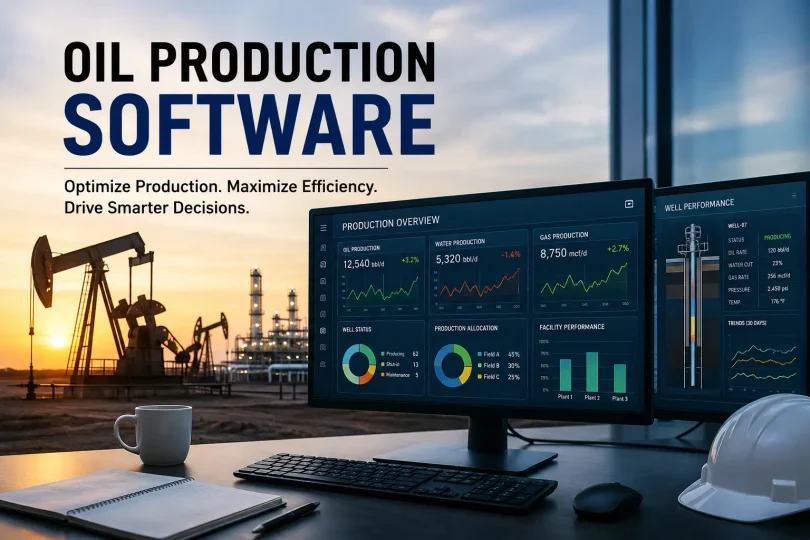

Oil production software is a digital system that pulls field data (gauge readings, well tests, run tickets, SCADA feeds) into one place, runs production allocation automatically, and flags problems while they’re still cheap to fix. Operators use this kind of production management software to replace paper tickets and spreadsheets with real-time production monitoring and reporting. The best oil production software pays for itself through recovered production volume and staff hours, not just tidier reports.
Oil production software centralizes field data, automates allocation and reporting, and shortens the time between a well problem happening and someone acting on it. Skipping it usually costs operators more in lost production and manual labor than the software itself would cost.
If you’ve read a handful of vendor pages already, you’ve seen the same pitch: centralize your data, automate compliance, boost efficiency. Fair enough, that’s the baseline. What most of those pages skip is the messier stuff: what actually breaks in the field, what a bad rollout costs you, and how oil production software actually compares to what you’re running today.
What Breaks Without Oil Production Software
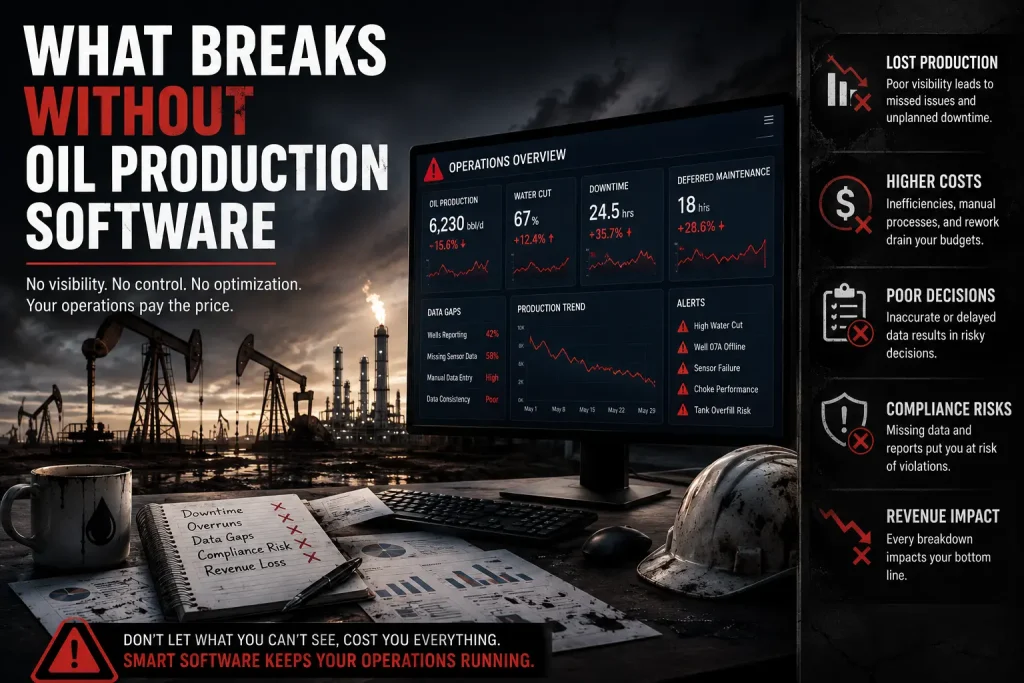
Ask any pumper or production engineer where the pain actually lives, and it’s rarely “we don’t have enough data.” It’s that the data exists in five different places and nobody trusts any of them.
A few patterns show up over and over in operations still running on paper and Excel instead of proper oilfield software:
- Gauge sheets get filled out days late, then re-keyed by an office admin who has to guess at a pumper’s handwriting.
- Production allocation disputes drag on because nobody can prove which well’s volume went where once production gets commingled at a tank battery.
- Well downtime goes unnoticed for a full reporting cycle because nobody’s doing real well production monitoring, just reconciling numbers at month-end.
- Regulatory production reporting gets assembled manually from three different spreadsheets, and someone always finds a mismatch the night before the filing deadline.
- Lease operating expenses drift upward quietly because nobody has a live view tying field costs back to individual wells or leases.
None of these are data problems. They’re field operations problems that happen to produce bad numbers as a symptom. That distinction matters when you’re evaluating production management software, because a tool that just digitizes the same broken process (a fancy spreadsheet, basically) won’t fix any of it.
The Real Cost of Skipping Production Optimization
Here’s a number that rarely shows up in vendor case studies: a mid-size operator running around 150 wells, with roughly 10 problem wells cropping up in any given month, might take 16 hours on average to notice and respond to a well issue when relying on manual reporting cycles instead of real-time production surveillance.
Cut that response window to 6 hours with live dashboards, and you recover meaningful volume, somewhere in the neighborhood of 100 to 125 barrels of oil equivalent that would otherwise have been lost to downtime. At an oil price around $65 to $70 a barrel, that’s roughly $7,000 to $8,500 a month in production you’d have simply written off before.
This tracks with broader industry research. McKinsey’s analysis of upstream operations has found that companies using advanced analytics and connectivity for production optimization can add meaningful value per barrel of oil equivalent, and that digital tools applied to drilling, production throughput, and field operations could unlock well over a hundred billion dollars in upstream value industry-wide by the end of this decade. Separate McKinsey research on automation in oil and gas points to unplanned downtime reduction as one of the single biggest levers in upstream production efficiency.
There’s a second, quieter cost: staff hours. An admin re-keying field data manually often spends two or more hours a day on entry alone, plus another hour or so cleaning up errors from illegible handwriting or transposed numbers. That’s a full workday, every day, spent on data entry instead of anything that actually moves the business forward. Good production management software removes that entire category of labor.
You May Also Like It:
Natural Gas Energy: A Complete Guide to Its Benefits, Drawbacks, and Role in the Modern World
Natural Gas Appliances Guide: Stove, Patio Heater, Water Heater, Tankless Heater & Weber Grill
Oil and Gas Asset Management: Complete Guide to Software and Best Practices
Oil and Gas Analytics Software: Where This Is Actually Heading
Basic field data capture gets you current numbers. Oil and gas analytics software goes a step further and tells you what those numbers mean before a human has to figure it out.
A few things worth knowing that most buyers don’t find out until after they’ve bought:
- Document intelligence is the sleeper feature. A lot of “AI for oil and gas” marketing focuses on flashy predictive models, but the highest, fastest return right now tends to come from something less glamorous: pulling structured data out of scanned lease agreements, decades-old well files, and state regulatory PDFs. If your land or compliance team is still manually re-typing data from scanned documents, this is usually the first place automation pays off, often before you ever get to predictive maintenance.
- Generic AI tools stumble on domain-specific formats. A model that hasn’t been trained on your state regulator’s filing format (Texas RRC, North Dakota’s NDIC, Oklahoma’s OCC, and so on) will frequently misread or outright fail on old scanned forms. Ask any vendor directly whether their analytics tool has actually been trained on your specific regulatory paperwork, not just “oil and gas data” in general.
- Predictive maintenance and artificial lift monitoring are a different ROI category entirely. Document automation gives you fast, visible wins in weeks. Predictive failure models for artificial lift equipment and reservoir-level decision support take longer to prove out and need more historical data before they’re reliable. Don’t budget both the same way or expect the same payback timeline.
- SCADA integration determines how much of this you get automatically. Analytics is only as good as the feed behind it. If your SCADA integration is patchy or your production forecasting model is running on manually entered readings, the analytics layer inherits all of that noise.
- Ask how the analytics model was validated, not just how it was built. A dashboard full of charts means nothing if the underlying allocation logic hasn’t been checked against your actual owner and royalty splits.
Which Analytics Platforms Actually Show Up in Real Deployments
Most operators don’t build analytics from scratch. They bolt a named platform onto their existing production or SCADA data, and the field tends to cluster around a handful of names:
- Enverus: Best known as the benchmarking and market-intelligence layer. Operators use it to compare their own well performance against public production, permit, and land data, not as a standalone field data capture tool.
- TIBCO Spotfire: A visualization and statistical analytics engine rather than an oil-and-gas-specific product out of the box. Teams typically wire it up to pull in production, seismic, or sensor data and build custom dashboards on top.
- GeoSoftware: Sits further upstream than the others here, focused on geophysical interpretation, petrophysics, and reservoir characterization (tools like HampsonRussell and PowerLog), so it’s more of a subsurface companion than a production-floor tool.
- dataPARC: Leans into process historian territory, closer to Canary Labs than to Enverus, aimed at high-frequency sensor data visualization and cross-facility monitoring for upstream and downstream sites alike.
The practical takeaway most comparison lists skip: these tools rarely replace your core production or field data capture system. They usually sit on top of it, pulling data out for deeper analysis. Before adding one, confirm it can actually connect to your existing allocation and SCADA data without a custom integration project, otherwise you’re just buying a second data silo with a nicer dashboard.
Oil Production Software vs. Spreadsheet Management
This is worth laying out plainly, because a lot of operators are still comparing “software cost” against “free spreadsheet” instead of comparing what each one actually delivers.
| Factor | Spreadsheet / Paper | Oil Production Software |
|---|---|---|
| Data entry | Manual, re-keyed by hand | Automated, captured at the source |
| Timing | Delayed, often days behind | Real-time or near real-time |
| Accuracy | Prone to transcription errors | Built-in validation rules |
| Downtime alerts | None, caught at reconciliation | Instant alerts on anomalies |
| Reporting | Assembled manually each cycle | One-click, audit-ready reports |
| Allocation | Recalculated by hand, dispute-prone | Automated allocation engine |
| Scalability | Breaks down past a handful of wells | Scales with well count |
The spreadsheet isn’t “free.” It’s just paying you back in staff hours and missed downtime instead of a subscription invoice.
Field Data Capture vs. Full Production Suites
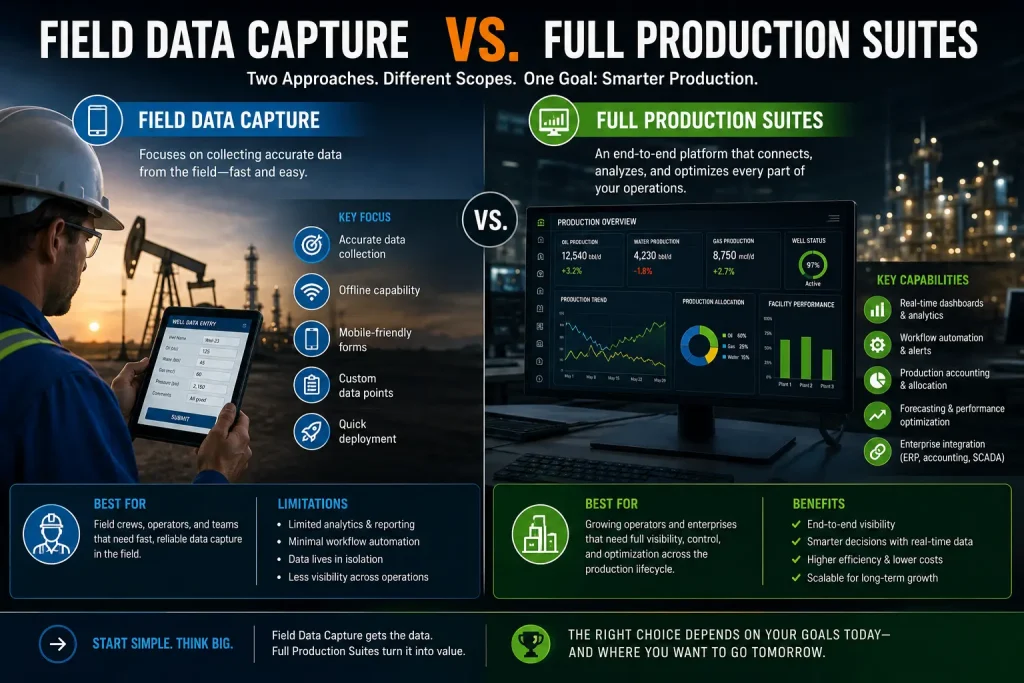
Not every operator needs the same depth of upstream software. Here’s how the two most common categories actually differ in practice.
| Factor | Field Data Capture (FDC) Tools | Full Production Suites |
|---|---|---|
| Best fit | Small to mid-size operators, single-basin | Multi-asset, multi-department operators |
| Core job | Replace paper gauge sheets and run tickets | FDC plus allocation, accounting, and compliance in one system |
| Typical rollout time | Days to a few weeks | 9 to 12 months for multi-site deployments |
| Learning curve for field staff | Minutes, often under 10 | Similar for field app, steeper for back-office modules |
| Where the value shows up first | Faster, cleaner field data | Cross-department visibility and audit trails |
If your bottleneck is purely “our pumpers still use paper,” an FDC tool alone might be all you need. If your bottleneck spans accounting, land, and compliance too, a fragmented FDC-only rollout will just create a new silo instead of removing one.
Why So Many Digital Oilfield Rollouts Stall
The industry has a name for this, half-joking, half not: pilot purgatory. A digital oilfield system gets bought, piloted on one asset, praised in a meeting, and then quietly never scaled past that pilot.
The usual causes:
- The OT/IT divide never gets bridged. Field SCADA systems and office IT systems are often run by different teams with different priorities, and nobody owns the handoff between them.
- Legacy integration gets underestimated. Old custom-built databases resist connecting to anything new, and “we’ll deal with integration later” turns into a permanent data silo.
- The budget covers oilfield automation, not change management. Buying the tool is the easy part. Getting a 20-year veteran pumper to trust a new app over the paper method he’s used since before smartphones existed takes actual coaching, not a training PDF.
- Nobody defines what “done” looks like. Without a clear rollout milestone (say, every well on the asset reporting through the new system by a set date), pilots drift indefinitely.
Multi-site deployments realistically run 9 to 12 months and often land in the low seven figures for larger asset bases, so budget and patience matter as much as the technology itself. Operators that push through report real numbers on the other side: maintenance cost reductions approaching 30%, and unplanned shutdowns cut by roughly 15 to 25%. Industry-wide, IHS CERA’s benchmarking on digital oilfield deployments has found production efficiency gains in the range of 2 to 8%, alongside operating expense reductions between 5 and 25%, figures broadly consistent with what independent operators report after a full rollout.
Oil Production Software Buying Checklist
Before you sit through another demo, run your shortlist against this list:
- Deployment model: Cloud-hosted or on-premise, and does that match your IT team’s actual capacity to support it?
- Offline mode: Does the field app work without a live connection, and sync cleanly once it’s back?
- SCADA integration: Can it pull automated readings alongside manually logged field data without a custom-built bridge?
- API access: Can it talk to your accounting, ERP, or land management systems, or will you be stuck exporting CSVs forever?
- Mobile app quality: Will a pumper genuinely learn it in minutes, or does it need a training session?
- Allocation engine: Does it handle commingled production and complex ownership splits accurately?
- Reporting: Can it generate state regulatory reports in the format your jurisdiction actually requires?
- Compliance and audit trail: Does it log who changed what, when, for both safety and financial audits?
- Vendor support: Does the support desk understand upstream operations, or are you talking to a generic help line?
- Pricing model: Per-well, per-user, or flat-rate, and which one actually fits how your operation grows?
Mistakes That Cost Operators the Most After They’ve Already Bought
Buying the right system doesn’t guarantee you get the value out of it. The most common post-purchase mistakes:
- Rolling it out to every well at once instead of proving it on one tank battery first and fixing the kinks.
- Skipping pumper input during setup, then wondering why field adoption is slow.
- Treating the software as “set and forget” instead of revisiting allocation rules as ownership structures change.
- Never assigning a single internal owner for the system, so when something breaks, three departments each assume someone else is handling it.
Related Topics Worth Building Out Next
If you’re developing this into a full content hub, these companion topics tend to pair naturally with this subject and help establish broader topical authority around upstream and digital oilfield subjects:
- Oil and Gas Production Optimization
- SCADA Software: A Practical Guide
- Digital Oilfield, Explained
- Production Allocation, Explained
- Artificial Lift Monitoring
- Oilfield Automation
- Production Reporting Best Practices
- Upstream Oil and Gas Software
- Tank Battery Monitoring
FAQ
How long does it take to implement oil production software?
A single-asset field data capture rollout can go live in days to a few weeks. A full multi-site oil production software suite covering allocation, accounting, and compliance typically takes 9 to 12 months, with staggered deployment across assets to avoid disrupting ongoing operations.
Does oil production software work without internet access at the well site?
Good field-focused systems are built to work offline and sync once a connection is available. Always confirm this before buying if your wells sit in areas with weak or inconsistent cellular coverage.
Can small, independent operators justify the cost of production software?
Yes. Cloud-based, per-well pricing models have brought this technology within reach of operators running well under a hundred wells. The ROI case often comes down faster for small operators, since even a handful of avoided downtime days makes a visible dent in a smaller revenue base.
What’s the difference between oil production software and reservoir simulation software?
Field data capture, allocation, compliance, and production reporting tools manage the day-to-day flow of operational data. Reservoir simulation tools, by contrast, model subsurface behavior to predict how a reservoir will perform over time. Some operators need both; many smaller operators only need the former.
How do I know if my current spreadsheet-based process is actually costing me money?
Track how long it takes from a well going down to someone noticing and acting on it. If that gap is measured in days rather than hours, you’re very likely losing recoverable production volume every month, even if nobody’s calculated the exact number yet.
Does adopting production software require replacing our existing SCADA system?
Not usually. Most systems are designed for SCADA integration rather than SCADA replacement, pulling in automated readings alongside manually logged field data. Integration complexity varies a lot depending on how old and customized your current SCADA setup is.
What data should I migrate first when switching to new production software?
Start with active wells and current-month data, not your entire historical archive. Get the new system running cleanly on live data first, then migrate historical records in a separate phase once the team trusts the new workflow.
Is AI-based analytics worth it for a smaller operator, or is that only for majors?
Document intelligence, extracting data from scanned lease files and regulatory PDFs, tends to deliver value regardless of company size, since the manual re-typing problem doesn’t scale down with fewer wells. Predictive maintenance models generally need more historical data to be reliable, so they usually make more sense once you’ve got a larger, longer-running asset base.
Bottom Line
Oil production software isn’t really an IT purchase. It’s a bet on how much recoverable production and staff time you’re currently leaving on the table by running field operations on paper and spreadsheets. The operators getting the most out of it treat rollout as a change management project first and a software purchase second, start small on one asset, and pick a system whose allocation engine, SCADA integration, and support team actually match their basin, not just a polished demo.
You May Also Like It:
ZNOG Stock: Complete Investor Guide to Zion Oil & Gas (OTCMKTS: ZNOG)
Oil Smells Like Gas? 7 Causes, Warning Signs, and Fixes
Oil Well Packer: Complete Guide to Types, Functions, and Selection