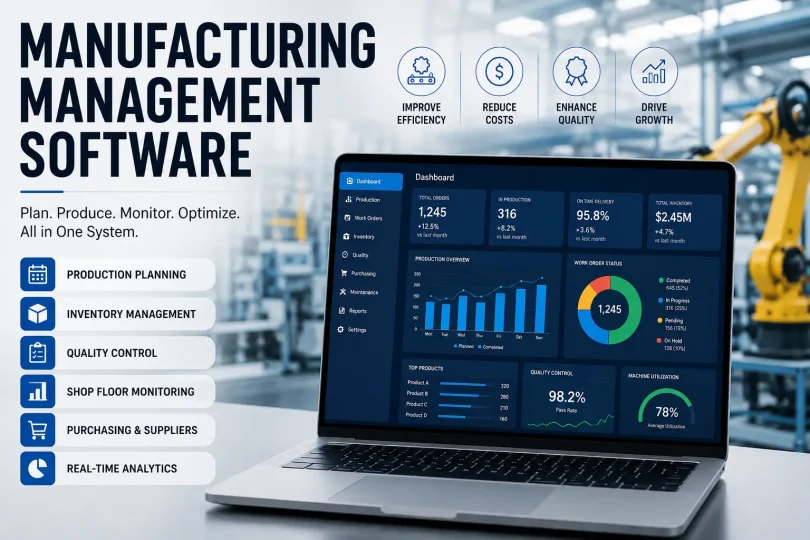

Manufacturing management software is a centralized system that connects production planning, inventory, quality control, and scheduling into one shared source of truth, replacing spreadsheets and disconnected tools. Small shops (5–75 workers) typically pay $50–$150 per user/month for a focused planning tool, while mid-size and enterprise operations running full ERP or MOM platforms often spend $200–$500+ per user/month once implementation and data migration are included. Most rollouts fail not because of the software itself, but because of messy inventory data, no dedicated project owner, or trying to switch everything over in one weekend instead of rolling out in phases.
Last updated: 31-07-2026 – reviewed for accuracy against current vendor pricing and 2026 implementation data.
For most small and mid-sized US manufacturers, the right system pays for itself by cutting order errors, idle machine time, and the endless back-and-forth of “where is this job at?” It’s closely related to what people also call factory management software, industrial management software, or manufacturing ERP software — terms that overlap but aren’t identical, which we break down below.
That’s the short version. Everything below covers what most guides on this topic leave out: what actually goes wrong during rollout, what this software really costs once you add up the hidden pieces, and how to tell if your company is even ready for it.
Key Takeaways
- Manufacturing management software centralizes production planning, inventory, quality, and scheduling into one system.
- It overlaps with factory management software and industrial management software, but the terms aren’t always identical.
- MRP (Manufacturing Resource Planning) is a planning engine inside most of these systems, not a separate product category.
- Cloud manufacturing software now outnumbers on-premise deployments for small and mid-size shops, mainly due to lower upfront cost.
- Most failed rollouts fail from poor data and weak project ownership, not from bad software.
- KPIs like OEE, scrap rate, and on-time delivery are how you measure whether the software is actually working.
- Typical implementation runs 4–8 weeks for a focused small-shop tool, versus 3–9 months for a full ERP rollout.
Why Manufacturers Actually Switch (It’s Rarely About Features)
Ask ten shop owners why they finally bought software, and you’ll hear the same handful of stories. It’s almost never “we wanted a fancier dashboard.”
- A customer asked for real-time order status and nobody could answer without three phone calls.
- A costly rework happened because the wrong revision of a drawing got used on the floor.
- Someone left the company and took the only working knowledge of the production schedule with them.
- Inventory counts on paper didn’t match what was actually on the shelf, again.
These are trust problems disguised as efficiency problems. Spreadsheets don’t fail because they’re ugly. They fail because five people are editing five versions of the same file, and nobody knows which one is current at 2pm on a Tuesday.
A common tipping point we see in smaller shops: a single missed shipment traced back to a stale spreadsheet is often what finally gets budget approved — not a sales pitch.
Key Features of Manufacturing Management Software
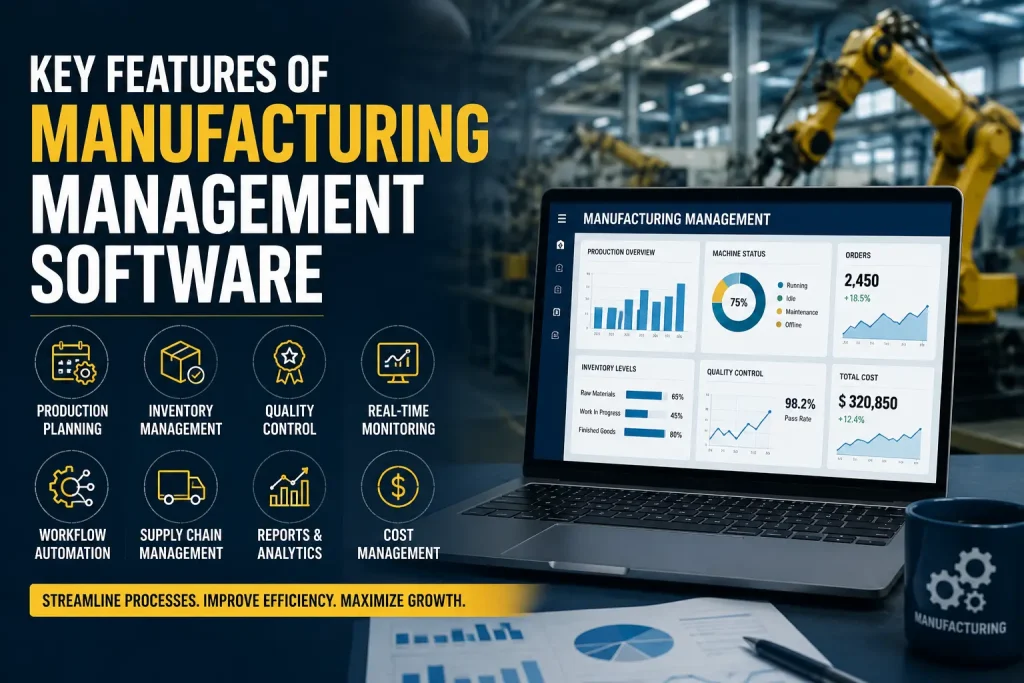
Most systems bundle a similar set of capabilities. Here’s what each one looks like in practice, not in a sales deck.
- Production planning and scheduling — a planner drags a job onto a machine’s calendar and immediately sees a conflict, like a tool booked for maintenance or an operator assigned elsewhere.
- Inventory and materials tracking — raw material gets scanned in, work-in-progress gets tracked station to station, and finished goods get deducted the moment an order ships.
- Quality management — inspection checklists, non-conformance reports, and corrective action logs live in one place instead of a filing cabinet.
- Purchasing and supplier management — reorder points trigger purchase orders automatically based on actual consumption, not a gut feeling.
- Manufacturing analytics — dashboards that turn raw machine and order data into decisions (covered in more depth below).
- Warehouse Management (WMS) — tracks exact bin locations, pick paths, and stock movement, which matters once you’re running more than a couple hundred SKUs.
- Machine monitoring — sensors or connected controllers feed real-time status (running, idle, down) straight into the system instead of relying on an operator’s end-of-shift notes.
Manufacturing Resource Planning (MRP): The Piece Most Guides Skip
MRP is the calculation engine that most competitor articles mention only in passing, usually buried inside a BOM explanation. It deserves its own attention because getting it wrong is expensive.
MRP takes three inputs — your bill of materials, your current inventory, and your open sales orders — and calculates exactly what needs to be purchased or produced, and when, to hit delivery dates without over-ordering material you don’t need yet.
A shop running MRP correctly avoids two expensive mistakes at once: rush-ordering material because nobody noticed a shortage, and tying up cash in excess inventory “just in case.” The catch is that MRP is only as accurate as your BOM data. If your bills of materials are outdated or incomplete, the MRP output will be confidently wrong — arguably worse than not having it at all.
Factory Management Software vs. Manufacturing Management Software
Quick distinction: Factory management software focuses on the physical facility (equipment, energy, floor layout). Manufacturing management software focuses on the production process itself (what’s being made, in what order, to what quality standard).
In practice, most modern platforms blend both. A maintenance module inside a manufacturing management system is effectively doing factory management work. The distinction matters most when a vendor’s product genuinely specializes in one side — say, a facility and asset-focused tool with only basic production planning bolted on. Ask directly which side of that line a vendor’s product actually sits on before assuming it covers everything you need.
Industrial Management Software: The Bigger Umbrella
Industrial management software is the broadest of these terms. It often includes manufacturing management, maintenance tools, production planning, and inventory systems, plus areas like workforce scheduling and facility-wide compliance that go beyond a single production line.
If a vendor markets their product as “industrial management software,” expect a wider net of modules — sometimes at the cost of depth in any one area. A specialized manufacturing management system will usually go deeper on production-specific needs like BOM handling and shop floor scheduling than a broader industrial platform will.
Manufacturing ERP Software vs. Manufacturing Management Software
This is a different comparison than ERP vs. MES, and it trips up a lot of first-time buyers.
Manufacturing ERP software is a full ERP platform with manufacturing-specific modules bolted onto core business functions like accounting, HR, and sales. Manufacturing management software can mean that, but it can also mean a narrower, standalone tool focused purely on production — without touching your finance or HR systems at all.
If your accounting already works fine in QuickBooks or Sage, buying a full manufacturing ERP just to get better production scheduling means paying for (and maintaining) modules you’ll never use. A standalone manufacturing management tool that integrates with your existing accounting software is often the more practical, cheaper path.
ERP, MES, and MOM: The Terms Nobody Explains Clearly
| Software Type | What It’s Built For | Best Fit |
|---|---|---|
| ERP (Enterprise Resource Planning) | Connects finance, HR, sales, and inventory across the whole business | Companies that need one system tying operations to accounting and sales |
| MES (Manufacturing Execution System) | Tracks work orders and machine data in real time on the shop floor | Facilities where floor-level accuracy and traceability matter most |
| MOM (Manufacturing Operations Management) | Coordinates planning, scheduling, quality, and MES data together | Multi-line or multi-plant operations needing centralized control |
| Standalone scheduling tools | Lightweight, focused on planning and job tracking only | Small shops (5–75 workers) not ready for a full ERP commitment |
The mistake most first-time buyers make: they buy a full ERP because it sounds comprehensive, then use maybe 20% of it while paying for the other 80% in license fees and unused complexity. If your core pain is “I don’t know what’s happening on the floor right now,” a focused MES or scheduling tool often solves that faster and cheaper than a full ERP overhaul.
Cloud Manufacturing Software vs. On-Premise Solutions
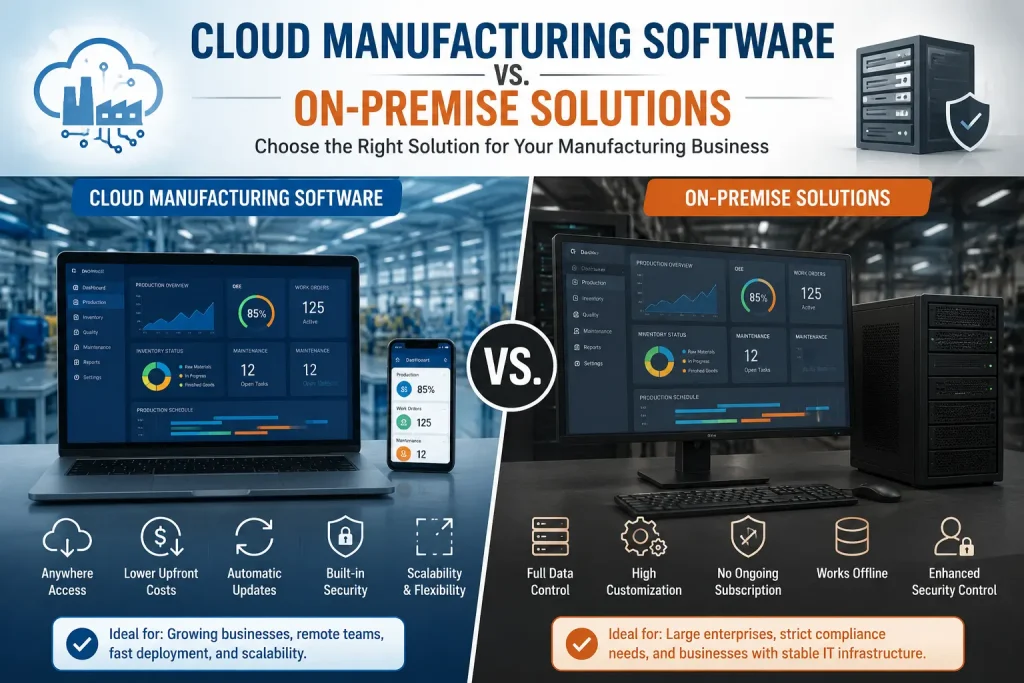
Cloud manufacturing software runs on the vendor’s servers and you access it through a browser. You pay monthly per user, updates happen automatically, and there’s no server hardware to maintain on-site. The tradeoff is dependency on internet connectivity and the vendor’s uptime.
On-premise solutions run on your own servers, inside your own building. You control the data entirely with no recurring subscription tied to it, but you’re responsible for hardware, backups, security patches, and IT staff to maintain all of it.
For most small and mid-size US manufacturers, cloud has become the default choice simply because it removes the IT burden. On-premise still makes sense for facilities with strict data residency requirements, unreliable internet, or existing infrastructure investments that would go to waste otherwise.
Manufacturing Analytics and the KPIs That Actually Matter
A dashboard by itself doesn’t improve anything. Manufacturing analytics software earns its keep when it’s tracking the specific numbers that tell you whether production is actually getting better or worse.
| KPI | What It Measures | Why It Matters |
|---|---|---|
| OEE (Overall Equipment Effectiveness) | Combines availability, performance, and quality into one score | The single best number for spotting hidden capacity you’re losing |
| Scrap Rate | Percentage of material or product wasted in production | Directly tied to material cost and margin |
| Downtime | Time machines sit idle due to breakdowns, changeovers, or waiting | Reveals whether maintenance or scheduling is the real bottleneck |
| Throughput | Units produced per hour or shift | Shows if capacity is actually keeping pace with demand |
| On-Time Delivery | Percentage of orders shipped by the promised date | The metric your customers actually feel |
Track these from week one after go-live, not just at year-end review. A system that isn’t moving at least one of these numbers within the first quarter is either misconfigured or being underused by the team.
Demand Forecasting: The Piece That Connects Sales to the Shop Floor
Most guides talk about inventory and purchasing as if orders appear out of nowhere. Demand forecasting connects historical sales data and open pipeline to your production schedule, so you’re building toward actual expected demand instead of reacting to it after the fact.
Basic forecasting uses historical order patterns and seasonality. More advanced systems layer in sales pipeline data, so a large deal your sales team is closing can trigger material pre-ordering before the purchase order even lands. For seasonal manufacturers, this is often the difference between meeting a demand spike and missing it entirely.
Manufacturing Automation Software and Factory Automation
Manufacturing automation software and factory automation get bundled into “management software” conversations, but they’re a distinct layer. Automation software controls physical actions — robotic arms, automated conveyors, or programmable machine cycles running without a person triggering each step.
Manufacturing management software doesn’t replace automation software. It coordinates around it, scheduling automated cells like any other resource and pulling their output data into the same reporting dashboards as manual stations. A shop with heavy factory automation still needs a management layer on top to schedule, track quality, and report across both automated and manual work.
Right-Sizing the Software: Small Business, Mid-Size, and Enterprise
A 15-person job shop and a 400-person multi-plant operation need genuinely different tools, not just different pricing tiers.
- Small business (5–75 workers): A focused production planning and scheduling tool usually delivers faster ROI than a full ERP. The goal is visibility and control without months of setup.
- Mid-size (75–300 workers): This is where MES or a mid-tier ERP starts making sense, especially once you’re running multiple product lines or shifts.
- Enterprise (300+ workers, multi-plant): MOM platforms that unify data across facilities become worth the investment, since coordinating scheduling and quality across sites by spreadsheet stops being realistic.
What This Software Actually Costs (Beyond the License Fee)
Vendors quote a per-user monthly fee. That number is real, but it’s rarely the full picture. Budget for these separately:
- Implementation and configuration — setting up your specific workflows, BOMs, and machine data
- Data migration — cleaning up years of inconsistent spreadsheets before they go into the new system
- Training time — hours your team spends learning the system instead of producing
- Temporary productivity dip — most shops see a slowdown in the first 4–8 weeks as habits shift
- Integration costs — connecting the new system to accounting software, CAD tools, or existing machines
A vendor quoting $200 a month per user without mentioning implementation and migration costs is giving you half the story. Ask for a total first-year cost estimate before you sign anything, not just the recurring subscription price.
Why So Many Implementations Fail, and How to Not Repeat It
Industry research into ERP and MES rollouts in discrete manufacturing has consistently found failure rates far higher than most buyers expect, often tied to a small set of repeatable causes rather than the software itself being broken:
- No executive buy-in. If leadership treats it as an IT project instead of a company priority, the floor won’t take it seriously either.
- Bad data going in. Migrating messy inventory counts or outdated BOMs into a new system just gives you the same wrong numbers with a nicer interface.
- No dedicated project owner. Handing implementation to someone already working a full-time job means it gets pushed to “next week” indefinitely.
- Trying to replace everything at once. Shops that attempt a full cutover in one weekend often end up reverting to spreadsheets within a month.
- Over-customization. Every custom tweak makes the next software update harder and costlier. Use the standard workflow where you reasonably can.
The fix isn’t complicated, but it does take discipline: clean your data before migration, assign one person who owns the rollout, and go live in phases — one department or one product line at a time — instead of flipping the switch everywhere at once.
A Practical Vendor Evaluation Checklist
Skip the glossy demo. Before you sign, get answers to these:
- Can they show your actual workflow in a live demo, not a generic template?
- Will they let your team test the system hands-on before purchase, not just watch a screen share?
- Do they have manufacturing-specific experience, or are they a generalist business software vendor?
- What’s the realistic implementation timeline for a company your size, in writing?
- How is support handled after go-live, and is it included or billed separately?
- Can it integrate with your existing accounting software and CAD tools without custom development?
If a vendor can’t answer the timeline question with a specific number of weeks, that’s a signal to keep asking questions.
Signs You’re Not Ready Yet
Software won’t fix everything, and buying it too early can waste money. Hold off if:
- Your team hasn’t agreed on a single standard process for how jobs move through the shop; software will just digitize the chaos.
- You don’t have anyone who can own the project for at least three to six months.
- Your current data (inventory counts, BOMs, routings) is known to be unreliable and nobody has a plan to clean it up first.
Fix these internally first. A system layered on top of disorganized processes just makes the disorganization move faster.
Future Trends in Manufacturing Management Software
A few shifts are worth watching if you’re buying software meant to last more than a couple of years.
- Industry 4.0 and the smart factory — connected machines, sensors, and software talking to each other in real time, rather than data being manually re-entered between systems.
- IoT-based machine monitoring — sensors feeding live machine status directly into the software, cutting out manual downtime logging entirely.
- Predictive maintenance — using machine data patterns to flag a likely failure before it happens, instead of reacting after a breakdown stops the line.
- AI-assisted scheduling and demand forecasting — systems that adjust schedules automatically as new orders or delays come in, rather than requiring a planner to manually rework the calendar.
None of this replaces the fundamentals covered above. A smart factory built on messy data and no project ownership will fail the same way a basic spreadsheet system does — just with more expensive sensors attached.
FAQ
How long does it take to implement manufacturing management software?
For a small shop with a focused tool, expect 4–8 weeks. For a full ERP rollout at a mid-size or larger manufacturer, 3–9 months is realistic, depending on data migration and customization.
What’s the difference between MRP and manufacturing management software?
MRP is a calculation engine for material and production planning, usually built into a larger manufacturing management system rather than sold as a separate standalone product.
Do I need a Warehouse Management System (WMS) in addition to manufacturing management software?
If you’re running a few hundred SKUs or more across multiple storage locations, a dedicated WMS module or integration adds real value. Smaller shops with simple stockrooms often get by with the basic inventory tracking built into their manufacturing software.
Is cloud manufacturing software secure enough for a small manufacturer?
Reputable cloud vendors typically offer stronger security (encryption, regular backups, access controls) than most small shops could maintain on their own on-premise servers. Ask specifically about data encryption and backup frequency before assuming either way.
Can manufacturing management software work without internet access on the shop floor?
Many modern systems offer offline modes that sync once connectivity returns, which matters for facilities with spotty Wi-Fi near heavy machinery. Ask vendors directly about offline functionality since it’s not always advertised clearly.
Is manufacturing management software worth it for a very small shop with under 10 employees?
Often yes, but a lightweight scheduling and inventory tool makes more sense than a full ERP at that size. The complexity of enterprise software isn’t justified until you’re managing multiple simultaneous jobs and shifts.
How do I get my shop floor team to actually use the new system instead of going back to paper?
Involve floor supervisors in the vendor demo and testing phase before purchase, not after. People resist tools they had no say in choosing, and resistance is the single biggest reason rollouts quietly fail.
Does manufacturing management software help with compliance and audits?
Yes, particularly the quality management module. Traceability records, inspection logs, and corrective action history that would take hours to dig up on paper can typically be pulled in minutes during an audit.
You May Also Like:
Power Outage Safety Guide: How to Prepare for Outages and Emergencies
Steel Grade: The Complete Guide to Understanding Every Type of Steel
Oil Well Packer: Complete Guide to Types, Functions, and Selection
Natural Gas Energy: A Complete Guide to Its Benefits, Drawbacks, and Role in the Modern World