
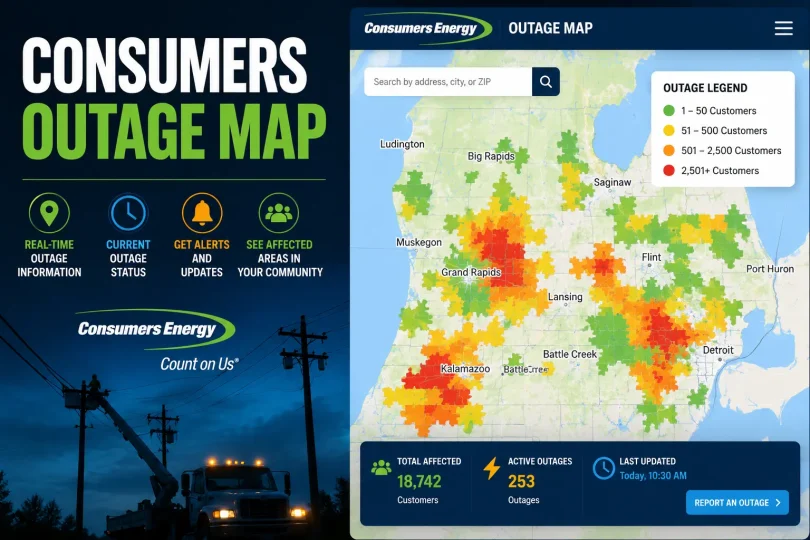

When the lights go out, the first thing most Consumers Energy customers do is pull up the Consumers Outage Map. It’s the fastest way to confirm whether an outage has already been detected, see how many customers are affected, and get a sense of when your power might come back on. This guide covers everything the Consumers Energy outage map offers from searching by address to reading the color legend so you can get the information you need without the guesswork.
What Is the Consumers Outage Map?
The Consumers Outage Map is Consumers Energy’s live, interactive outage tracker for its Michigan service territory. Built on an ArcGIS mapping platform, it pulls data directly from the utility’s outage management system and refreshes regularly, giving customers a visual picture of where power outages are happening, how large they are, and what crews are doing about them.
Rather than relying on a phone call or a static status page, this outage tracker lets you see outage status the way Consumers Energy’s own operations teams do plotted geographically, broken down by city, ZIP code, or county, and updated as restoration work progresses. It’s the company’s primary self-service tool for outage awareness, whether you’re checking on your own home or keeping an eye on outages across Michigan.
Why Use the Consumers Outage Map?
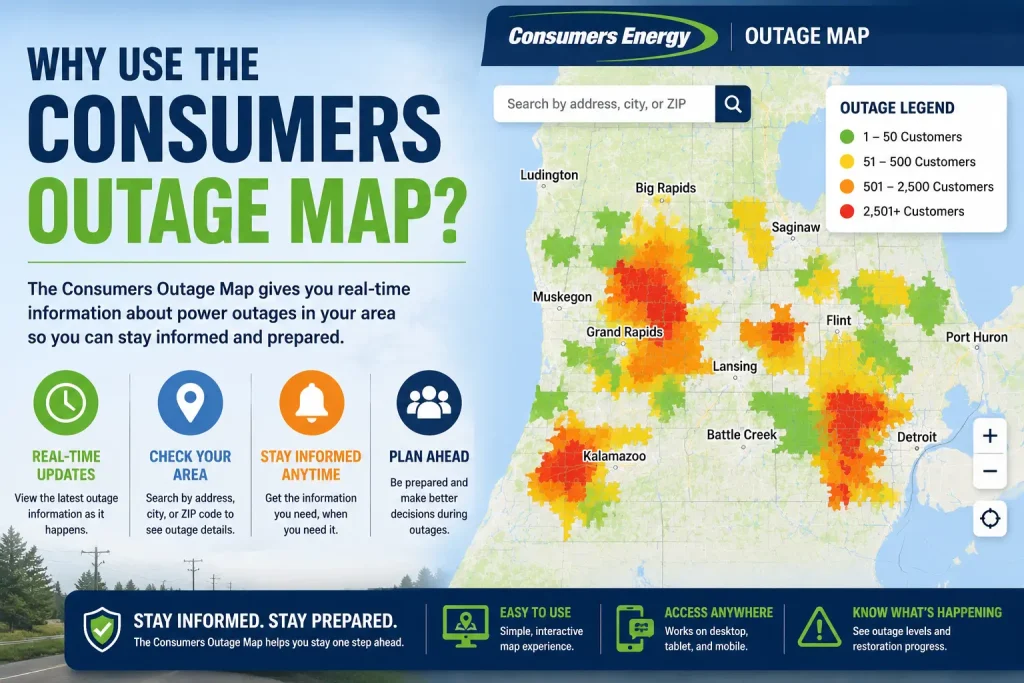
There are a few clear reasons to check the map before doing anything else during a power outage:
- Confirm an outage instantly see whether Consumers Energy already knows your area is affected, without waiting on hold.
- Check restoration time view the current estimated restoration time for your location.
- See affected customers understand whether it’s just your street or a wider outage across your city or county.
- Track crew progress see whether repair crews have already been assigned to your area.
- Avoid unnecessary calls cut down on hold times by getting outage status and restoration updates directly from the map instead of calling 800-477-5050.
In short, the outage map is usually faster and more detailed than a phone call, and it’s available 24/7 from any device.
How to Use the Consumers Outage Map
Getting started with the Consumers Energy outage map is straightforward:
- Open the map on the Consumers Energy website or through the mobile app.
- Choose a view. The map offers several ways to look at the same outage data a Customer Outage View that shows the raw number of customers without power, and City/ZIP Code or County Outage Views that show the percentage of customers affected in a given area. Switching views helps you decide whether a problem is isolated to a single street or spread across a wider region.
- Zoom and pan to your area of interest. Zooming in reveals more granular detail, including individual outage clusters and nearby crew activity.
- Click on a shaded area or marker to open a pop-up with outage details customer population, number of affected customers, and current outage status for that location.
- Check the “Map Last Updated” timestamp, which tells you how current the outage information is.
Because the map is interactive, toggling between views often gives a clearer picture of the outage than any single mode on its own.
Search by Address
If you only care about one location your own home, a relative’s house, or a business you don’t need to scan the whole Michigan outage map. The tool includes an address search function that lets you enter a specific address, city, or ZIP code and jump straight to that spot. Once you search, the map centers on the location and shows whether an outage has been reported there, along with any available power restoration updates.
This is also the fastest way to confirm that your outage has actually been logged with Consumers Energy. If the map doesn’t show an outage at your address but your power is out, report it right away see the section below.
How to Report an Outage
Checking the map is the first step, but if your outage isn’t listed, it’s important to report it so Consumers Energy can begin restoration. There are four main ways to report a power outage:
- Report online use the Report an Outage tool on the Consumers Energy website. This is generally the fastest way to start the restoration process.
- Mobile app report an outage directly from the Consumers Energy mobile app, including on behalf of a family member or neighbor.
- Call 800-477-5050 reach Consumers Energy’s automated phone system or a customer service representative to report an outage and hear the latest outage status for your area.
- Text alerts sign up for outage alerts by logging into your account or texting REG to 232273 (CECARE); once enrolled, you can also stay updated by text as restoration progresses.
If you see a downed power line, call 911 first, then Consumers Energy never approach a downed wire.
Understanding the Color Legend
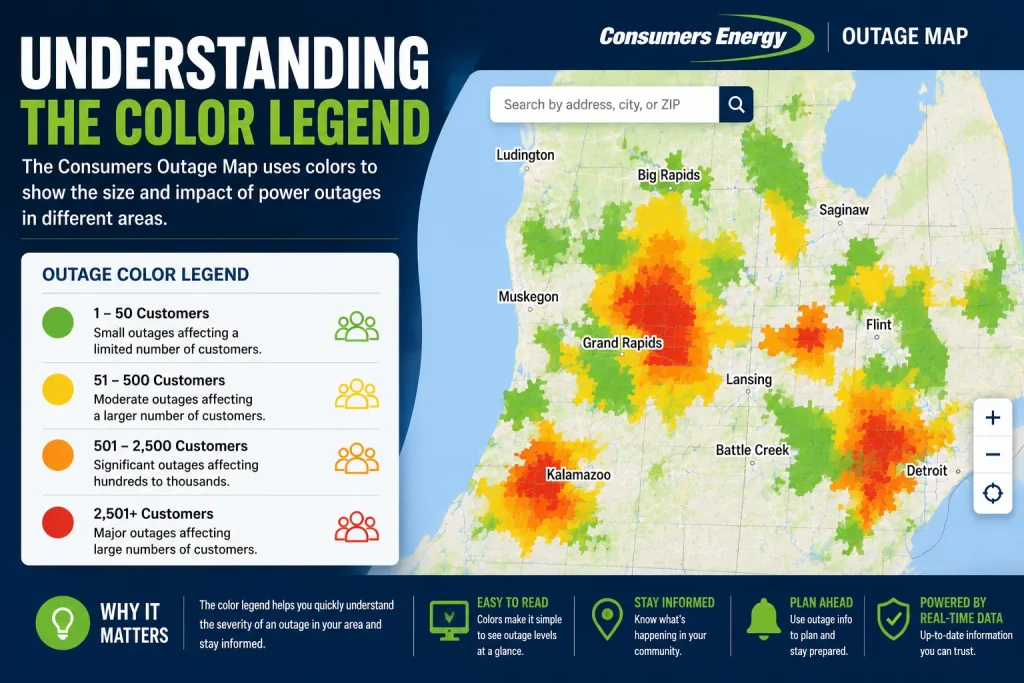
The Consumers Energy outage map uses color coding to communicate the scale of an outage at a glance, and the meaning shifts slightly depending on which view is active.
- Customer Outage View uses color to represent the raw number of customers without power in a given area, typically grouped into bands such as 1–50, 51–200, 201–1,000, and 1,000+.
- City/ZIP Code and County Outage Views use color to show the percentage of customers affected in that geographic area, ranging from less than 0.1% up through bands like 5%, 10%, 15%, 20%, 25%, and beyond.
Darker or more intense shading generally signals a larger outage, either in raw customer count or in the share of the local population affected. A legend panel on the map (with a Hide/Show toggle) lets you reference the exact color-to-value mapping at any time rather than relying on memory.
Crew Status
Beyond outage size, the map also shows where repair crews are working. A “Crews” layer indicates crews that have been assigned to a location, and it distinguishes between Consumers Energy’s own crews and crews from outside utilities brought in to help something that becomes especially relevant during large storms when mutual-aid crews are deployed from other states.
Seeing an assigned crew icon near your outage is a useful sign that repair work is already underway or scheduled, even before a specific restoration time is posted.
Estimated Restoration Time
For many outages, the map displays an estimated restoration time Consumers Energy’s best current projection for when power will be back on in that area. A few things to keep in mind about these restoration estimates:
- They are estimates, not guarantees, and can shift as crews assess damage or as conditions change.
- Large storms with widespread damage tend to have less precise estimates early on, since crews need time to survey the extent of the damage before committing to a timeline.
- Estimates typically become more accurate closer to the actual repair, once a crew is on-site or damage has been fully assessed.
Checking back periodically rather than treating the first estimate as final gives the most accurate picture of power restoration as a situation develops.
Consumers Energy Mobile App
The outage map isn’t limited to a desktop browser. The Consumers Energy mobile app, available for iOS and Android, includes an interactive outage map so you can monitor conditions from your phone. Through the app you can also:
- Report a power outage instantly, including on behalf of someone else
- View real-time outage status and restoration estimates
- Manage bill payments and account settings
- Turn on push notifications and alerts for billing and service interruptions
Having the outage tracker in your pocket is particularly useful during storms, when you may lose home internet access but still have a cellular signal letting you keep tabs on restoration progress from anywhere.
Official Consumers Outage Map Link
You can access the official, live Consumers Energy outage map directly at: consumersenergy.com/outagemap
Bookmarking this page or pinning the mobile app’s outage map screen means you’re never far from an up-to-date view when you need it most.
Troubleshooting the Outage Map
Occasionally the map may load slowly, fail to display data, or behave unexpectedly. If that happens, try the following:
- Refresh the page. The map relies on a live data feed, and a simple reload often resolves temporary glitches.
- Update your browser. Some display issues are tied to outdated browsers, so upgrading to a current version usually improves performance.
- Check your internet connection. During major storms, local internet and cellular networks can also be affected, which may interfere with loading the map even if Consumers Energy’s servers are functioning normally.
- Try the mobile app instead of the website, or vice versa if one platform is having issues, the other may still work.
- Clear your browser cache, since a stored, outdated version of the page can sometimes cause the map to display incorrectly.
- Call it in. If the map genuinely won’t load or you can’t get outage information any other way, call Consumers Energy at 800-477-5050 to report an outage or check status through a representative or the automated system.
Consumers Outage Map: Feature Overview
| Feature | Available |
|---|---|
| Live Outage Status | Yes |
| Search by Address | Yes |
| Color-Coded Legend | Yes |
| Crew Status | Yes |
| Estimated Restoration Time | Yes |
| Mobile App Access | Yes |
| Report an Outage | Yes |
| Text/Email Alerts | Yes |
FAQs
Is the Consumers Outage Map updated in real time?
Yes. The map pulls live data from Consumers Energy’s outage management system and displays a “Map Last Updated” timestamp so you can see how current the outage status is.
How often does the outage map refresh?
The map refreshes on a regular, ongoing basis as new outage data comes in from the field, though the exact interval can vary during major storm events when data volume is higher.
Can I report an outage through the map?
The outage map itself is primarily for viewing outage status. To report a new outage, use the separate Report an Outage tool online, the mobile app, or call 800-477-5050.
Why doesn’t my outage appear on the map?
an outage hasn’t been reported yet, or the affected area is too small to be reflected at your current zoom level. If your power is out and nothing shows on the map, report the outage directly so Consumers Energy can begin restoration.
How accurate are restoration estimates?
Restoration estimates are Consumers Energy’s best projection based on current information, but they can change as crews assess damage. Estimates tend to become more accurate closer to the actual repair.
Does the outage map work on mobile devices?
Yes. The outage map is available both through a mobile browser and within the official Consumers Energy mobile app for iOS and Android.
Conclusion
The Consumers Outage Map turns what used to be a frustrating waiting game into something you can actually see and track. Whether you’re confirming an outage at your own address, watching a Michigan power outage spread across the state, or simply waiting on an estimated restoration time, the map on desktop or in the mobile app is the most direct window into what Consumers Energy’s crews are doing and when your power is likely to come back.
Before reporting an outage, always check the Consumers Outage Map to see if the issue has already been detected. If your outage isn’t listed, report it immediately so Consumers Energy can begin restoration as quickly as possible.
You May Also Like It:
CNC Machining Tolerances: The Complete Expert Guide
MIG vs TIG Welding: Complete Guide to Differences and Procedures






[…] the NV Energy outage map at maps.nvenergy.com, enter your address, and the map will display whether an outage is active, how […]
[…] lights go out, three things matter most: reporting the problem correctly, knowing how to read the outage map and restoration estimate, and understanding what you may be owed. This guide covers all three, plus […]